
Plan Search & Details
Find available saved plans by year, carrier, state, and county. Read supported benefit descriptions with costs, network conditions, limits, and qualifications kept together.
See the workspaceA better perspective on Medicare plan research
Turn complex plan information into a clearer picture. Explore markets, compare benefits across years, and bring the original plan documents into the same research workflow.
Built for independent agents, agencies, and Medicare research teams.

Compare benefits. Preserve the details.
ONE CONNECTED
research workflow.
THE PLATFORM
From the first market question to the supporting booklet, keep your research connected without making agents navigate raw source tables.
Find available saved plans by year, carrier, state, and county. Read supported benefit descriptions with costs, network conditions, limits, and qualifications kept together.
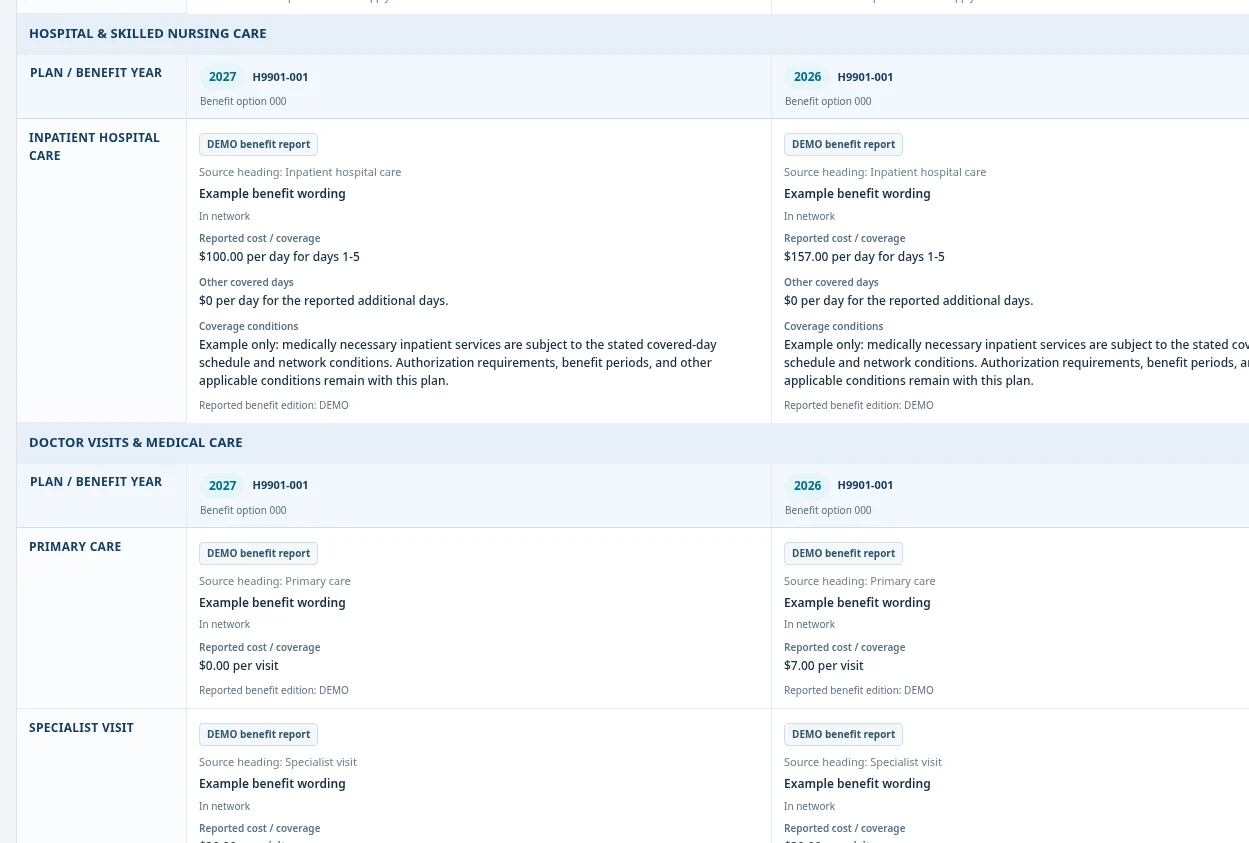
See the workspaceReview up to four plan options in the same county and annual cycle. Keep each year, benefit option, and coverage condition in its own column.
Side by side. Year by year.Move from a national view into a state and county. Use the interactive map and linked plan cards to explore available saved market observations.
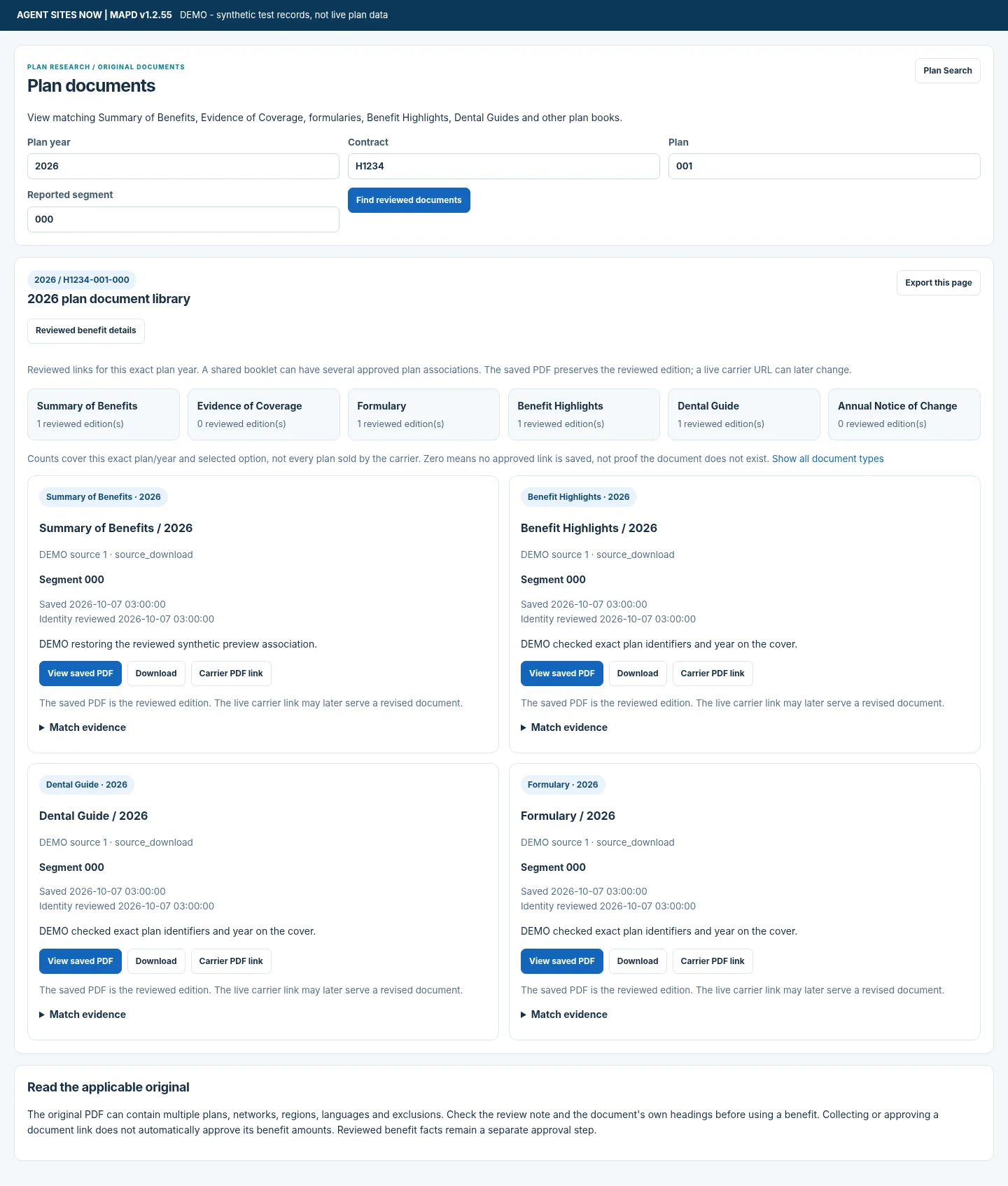
Open Market ExplorerOpen reviewed Summary of Benefits, Evidence of Coverage, formularies, highlights, dental guides, and change notices matched to the selected plan and year.
Approved matches. Original PDFs.Research annual plan relationships and reported changes with crosswalk evidence. Keep reporting periods separate from benefit years.
A clearer view of the transition.Save comparisons and research views, follow watchlists, and print available benefit summaries. Return to the work without starting the search over.
For an ongoing research workflow.Features use supported, published source information. Availability varies by plan, year, dataset, and reviewed document association.
A CLOSER LOOK
Three connected views. One place to do the work.
These are product screenshots with synthetic demonstration records, not actual plan quotes or live inventory.
 Enlarge preview
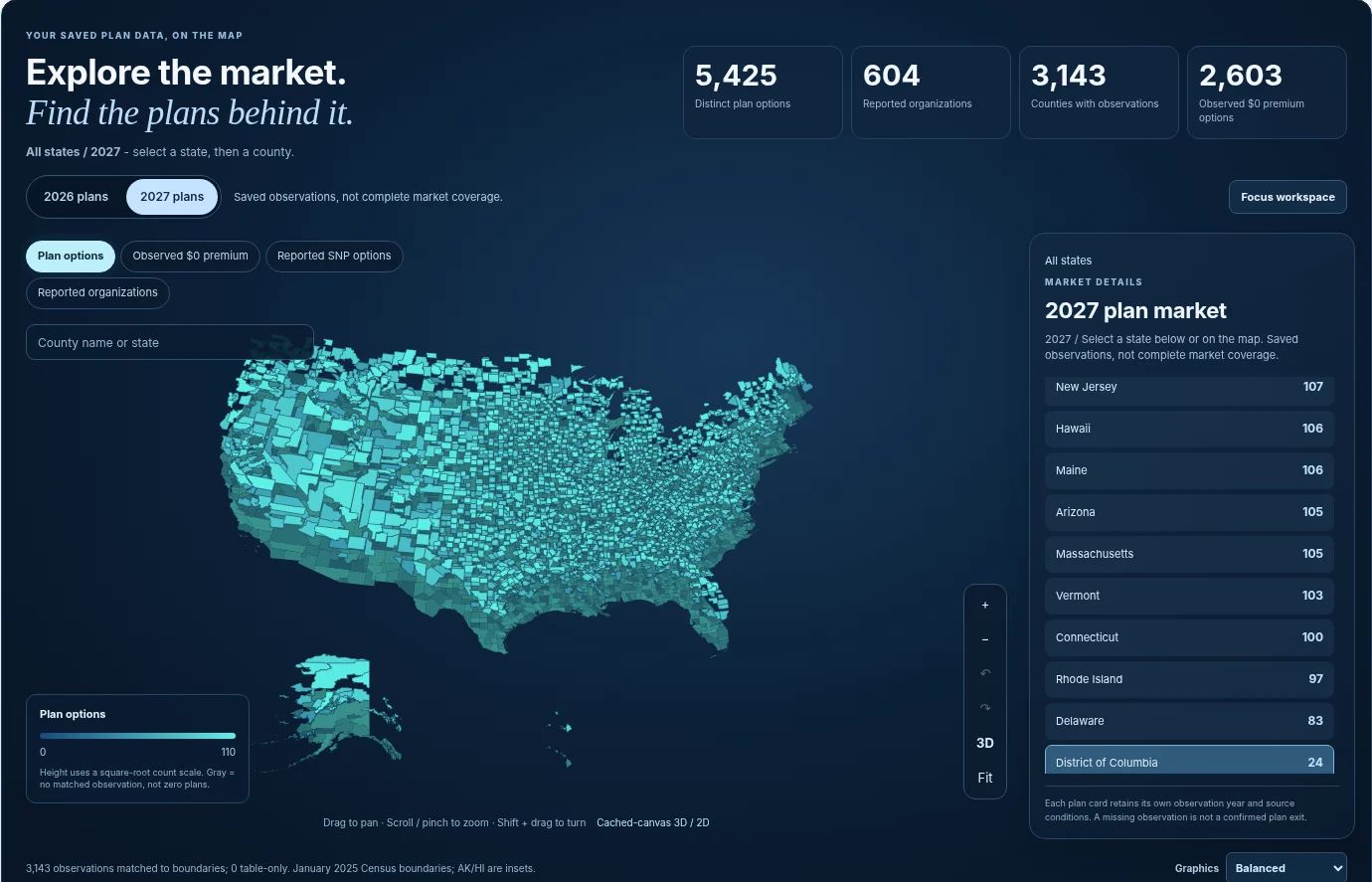
Choose a plan year and market. Explore saved observations through map, list, and plan-card views.
 Enlarge preview
Review available descriptions side by side. Missing or qualified data remains identified, not converted to zero.
 Enlarge preview
Find reviewed document matches, open the saved PDF, and follow a verified carrier link when available.
MARKET EXPLORER
Choose a year and state. Pan, zoom, select a county, and explore plan cards using the same map controls as the private workspace. Public figures reflect the saved data the administrator has chosen to publish.
Open the full-window map · Register as an agent
This is a working read-only preview, not a screenshot. Detailed research and document access require sign-in. No private accounts, member information, or review notes are displayed.
DATA WITH CONTEXT
A benefit is more than a number. Its plan year, source edition, network, limits, and eligibility conditions are part of the information.
A 2026 benefit stays with 2026. A later year needs its own supported source information.
Review the underlying publication or approved document evidence instead of losing the origin.
Missing is not zero. An unreported value is not proof of noncoverage or a missing plan.
Official links describe the datasets, not a promise of complete coverage inside every installation.
Published is different from downloaded. Source data must pass its supported import and publication checks before it is available for research. Opening this public website does not run a scan or expose your saved research.
Year support is explicit. The readable CMS benefit-summary workflow currently uses compatible MPF 2026 reports and supported PBP 2027 mappings. Earlier JSON research, prescription-data workflows, and reviewed carrier evidence retain their separate scope and qualifications. Not every benefit category or future-year layout has a complete interpretation.
Documents require a match. The library displays approved associations for Summary of Benefits, Evidence of Coverage, formularies, Benefit Highlights, Dental Guides, and Annual Notices of Change. Carrier access restrictions, document readability, and review requirements affect availability. It is not a guarantee that every booklet has been found.
No implied universal coverage. National browsing shows available saved observations. The public website does not certify nationwide completeness, personalized eligibility, carrier contracting, commissionability, or every OTC/food allowance. The expanded release catalog and new plan highlights remain separate product work.
A MORE CONNECTED WAY TO WORK
Give agents a clear research experience while keeping source operations and approvals in the hands of administrators.
Administrators load supported source releases and review plan-document associations.
Select a benefit year and market. Search for a plan or explore the county map.
Read the available benefit details, compare plan options, and check the original sources.
Save your comparison or research view, print available summaries, and return when needed.
A FEW GOOD QUESTIONS
Designed for professional research.
Built around the evidence.
Independent life and health agents, agencies, and teams researching Medicare Advantage and Part D plan information. Agent, staff, and administrator roles keep research access separate from administrative controls.
Yes, when the relevant plan inventory and compatible benefit information have been published in your installation. Each comparison column retains its own plan, year, and benefit option. Up to four options from the same county and annual cycle can be compared.
Yes. The Documents view shows saved PDFs and eligible carrier links for reviewed matches to the selected plan and year. Collection and association review come first; an empty result does not mean the carrier has no booklet.
No. Available research depends on the sources imported, supported layouts, publication checks, geography, and document reviews. Future-year data is not filled by copying a previous year's benefits. Read the availability notes and source context inside the application.
This is a research workspace, not an enrollment service, personalized drug-cost calculator, or carrier-issued Summary of Benefits. Use the applicable original plan documents and official enrollment channels for coverage and enrollment decisions.
Use Register to request an agent account, then sign in after administrator approval. No payment is collected by the registration form.
MAPD INTELLIGENCE
Bring your markets, plans, benefits, and source documents into one connected research workflow.
Explore the published map by plan year, state, and county. Select a county, then scroll through the white plan-information table and the available details below the map.
No account is needed to browse the published public map. Detailed benefits and plan documents remain behind sign-in. Available information depends on the years and source reports published by the administrator.